|
||
|
Created
and maintained by volunteers working with the British Horse Society
|
||
Show us Where you Ride
|
We would like you to show us
It is very easy to send us routes and annotated markers using the OS Map facility descibed below Just follow the very simple instructions below |
|
|
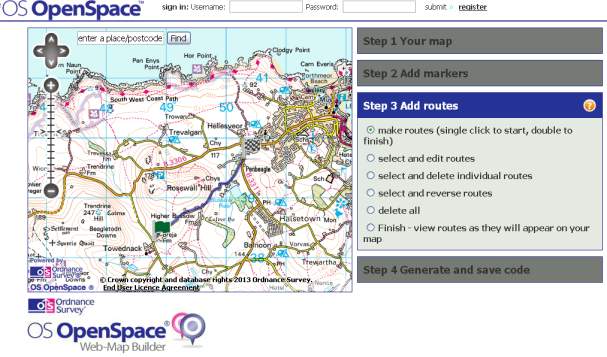
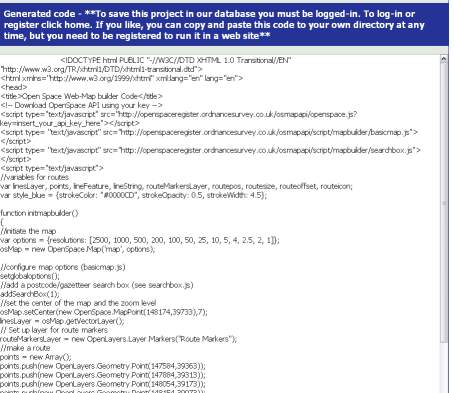
1. Launch OS WebMapBuilder using the link below Please follow the steps in RED below. You do NOT need to follow all the steps on the WebMapBuilder Menu - start at step 3 on that menu. 2. Enter your Place or Postcode and click Find Enter Place or Post Code in box at top of map and click "Find" You will then see your place displayed on large street map Click the Zoom Out (-) button (4 or 5 times) until you see the OS map displayed and move the map about as you wish by grabbing with your mouse 3. Mark the route you ride: Click "Step 3 Add Routes" and select "make routes" Draw where you ride on the map adding points to the route by single clicks and double click to terminate. You may also add markers to show any features (see note b.), You also can move the map whilst adding a route by holding the mouse button down to grab the map and move - then add further points on your route. 4. Send Us Your Route Click "Step 4 Generate and Save Code". Click "Collect Code" "Web Page" Code text will be displayed, Press Ctrl A to shade ALL this Code, Right Click and Copy Paste this code into an email or file and send to routes@bhsaccesscornwall.org.uk Click Here to Start and to launch "Web Map Builder" (new window/tab) Notes: a. Normally go straight to "Step 3. Add Routes" b. You can also use "Step 2 Add Markers" if you want to mark and annotate a particular point on the map you send us. c. "Step 1 Your Map" is only relevant if you want to display the map yourself. d. There is no need to Register or Sign in to use this facility - unless you want to save the routes on the OS web site or use the generated code as a web page on your own website. To Print the above instructions for reference: Click Here |
Map Builder Screen Snapshots
|